
BlueROV2 Buyer’s Guide
The BlueROV2 gives you the freedom to build the kit you want. With all the options available, choosing the right setup can feel a bit overwhelming, so we’ve put together this guide to explain each option and help you build a BlueROV2 kit that works for your mission.
The first section covers the BlueROV2 Base Package and everything included with it. After that, we’ll go through the basic configuration options and the available power choices. Next, we’ll look at the accessories you can add to your kit. Finally, because the BlueROV2 is so open and flexible, the last section serves as a reference for new users in specific industries, listing recommended options based on common applications.
Feel free to jump to any section using the page navigation on the right.
The BlueROV2 Base Package
This section goes over exactly what is, and isn’t, included in the BlueROV2 Base Package.
What’s Included in the Base Package
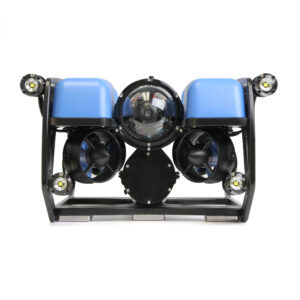
The base package includes these two main components:
- The BlueROV2 itself (with your choice of acrylic or aluminum tubes). This includes the core parts: frame components and enclosures, thrusters, main camera, autopilot computer and electronics, and depth sensor. It does not include the tether or lights, you’ll choose those from the available options when configuring your kit.
- The Fathom-x Tether Interface (FXTI). This is the interface box that connects the tether to your computer.
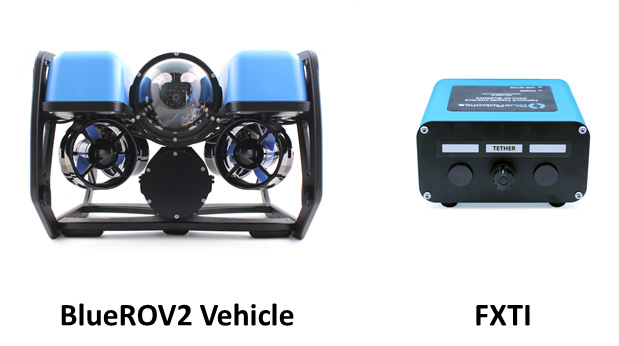
The kit also comes with various tools, hardware, and small accessories. You can find a complete list of included items in the Contents section of the BlueROV2 product page.
What's Not Included (But Required for Operation)
The Base Package alone is not enough for a fully functioning ROV. You’ll need the following additional items to get your BlueROV2 up and running:
- Tether – You must choose a tether from the available options to add to your base package. Tether options are Standard and Slim tether in various lengths (but more on this later).
- Battery – Due to shipping restrictions on high-capacity lithium batteries, the ROV kit doesn’t include one. You’ll need to add it to your cart separately after configuring your kit. Battery options are explained in the Power Options section.
- Battery Charger – We recommend our H6 PRO Lithium Battery Charger for everyone.
- Laptop or Computer – The nice thing about the BlueROV2 is that it works with a wide range of systems. We recommend a medium to high-end computer running Windows 11, macOS, or Linux. Many handheld systems, like the Steam Deck or Legion Go, also perform well. Check the BlueROV2 Technical Details section for full system requirements. iOS and Android are not officially supported at this time.
- Game Controller – Our favorite is the Xbox Wireless Controller, which you can add when configuring your kit, but most standard USB or Bluetooth game controllers will also work. If you already have a controller laying around, you can test it online here. If it registers input, it should work!
Assembly
Every BlueROV2 starts its life as a kit requiring user assembly. The kit includes most of the tools you’ll need to assemble it, which takes around six to eight hours. During the assembly process, you’ll learn how all of the components of the system fit together, and you’ll build the knowledge needed to service and upgrade your BlueROV2 in the future.
Configurable options like the tether and lights, and add-on accessories like sonars, come separately and are installed on the ROV as you build your kit. Accessories can also be installed at a later time.
We have an assembly guide that walks you step-by-step through the entire process, and doesn’t require anything more complicated than handling a screwdriver. If the thought of assembly still seems challenging, you can also reach out to one of our worldwide distributors, many of which offer ROV assembly services.
Configuring Your BlueROV2 Kit
This section walks you through the basic options when configuring your BlueROV2 kit.
BlueROV2 Base Package Enclosure Material
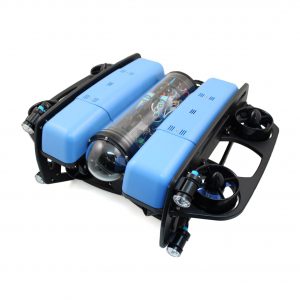
This is the material of the electronics enclosure and battery enclosure tubes. Your options are either clear acrylic or black anodized aluminum. The tube material determines the depth rating (how deep in the water the ROV can go) of the BlueROV2:
- Acrylic has a 100 meter (328 feet) depth rating.
- Aluminum has a 300 meter (984 feet) depth rating.
The aluminum option also has better heat dissipation than the acrylic. The acrylic option costs less than the aluminum, so if you don’t need to go deeper than 100 meters, and want to save some money, choose the acrylic option. Otherwise, if you need to operate deeper than 100 meters, choose the aluminum option. You can also upgrade later by purchasing the tubes by themselves.
Heavy Configuration Upgrade
The Heavy Kit adds two additional vertical thrusters and moves them to the outside of the ROV frame. This improves flight stability, increases vertical thrust force, and enables full 6-degree-of-freedom control and active pitch and roll stabilization. The kit also includes additional buoyancy foam blocks to retain the right amount of buoyancy and thruster guards to protect the external vertical thrusters.
The Heavy Configuration does not increase the horizontal speed of the BlueROV2, but it does double the vertical thrust force. This, plus the improved stability, makes the Heavy Kit upgrade ideal if you will be adding a lot of accessories and payloads to the BlueROV2. We recommend the Heavy Kit if you:
- Are adding a few accessory payloads to the BlueROV2 like a Newton Gripper, sonars, Payload Skid, etc.
- Require active pitch and roll stabilization.
The Heavy Kit can also be installed later if you change your mind!
Tether
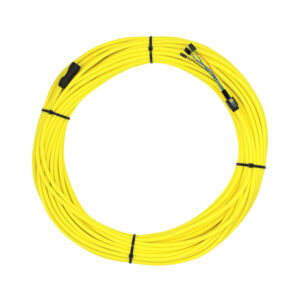
The ROV tether (some people like to call it an umbilical) is what keeps the BlueROV2 connected and communicating with your computer. Radio waves (wireless signals) don’t travel far through water, so a physical connection is required to operate the ROV. There are two tether options, Standard and Slim Tether, that are available in various lengths.
- Standard Tether offers the longest communication distance, up to 300 meters or 984 feet. It has 4 twisted pairs of wires inside, like regular networking cable, with only 1 pair used for ROV communication, leaving the 3 other pairs available for your own use if needed. It’s available in lengths from 25 to 300 meters. We recommend this tether for most users.
- Slim Tether is a thinner version of the tether, only 4 mm in diameter! Because of how thin it is, this tether creates a lot less drag in the water and makes a big difference when operating in strong currents. It only has 1 twisted pair inside and is available in lengths from 50 meters to a maximum of 200 meters (656 feet). This tether is best used when drag or weight is a concern.
Keep in mind that tether length doesn’t directly translate to maximum operating depth. You’ll always need more tether than your target depth to account for horizontal travel, current drift, and a bit of slack so the ROV can maneuver freely.
If you are going to add the Outland Technology Surface Power Supply to your package, then don’t add either of these tether options. The Outland system uses its own tether.
Lights
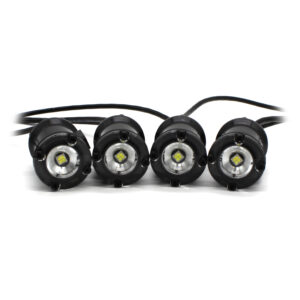
This is an easy one, lights illuminate dark places! The options for lights are:
- No lights
- 2 lights
- 4 lights
The lights come as a preconnected set. We generally recommend the 2-light option for most applications. If you’ll be operating in well-lit conditions or shallow water, you might not even need lights. If you’re operating at night or in low-light conditions, 4 lights might be best. If you’re not sure, you can always add a set of lights later.
Tether Spool
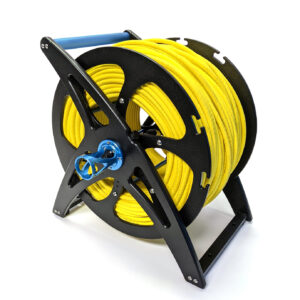
The tether spool is a storage and management system for ROV tether. It lets you easily pay out or reel in the tether during operation and keeps the tether neatly wound and tangle-free. The tether spool comes in two sizes:
- Standard can hold up to 150 meters of standard tether or 200 meters of slim tether.
- Large should be used for standard tethers longer than 150 meters.
We recommend using a tether spool for any tether longer than 50 meters. Beyond that length, managing the tether by hand can get unwieldy.
This tether spool is not compatible with the Outland Technology Power Supply tether.
XBOX Controller
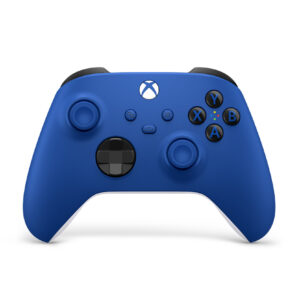
A handheld game controller connected to your computer is how you’ll be operating the BlueROV2. The Xbox Controller is our favorite, so we’ve added it here for convenience. If you already have a favorite controller you are used to, feel free to use it. You can check compatibility with other controllers using this website. If it works there, it should work with our software!
That covers the basic options when configuring your kit. Next, we’ll talk about the options available to provide power to your BlueROV2.
Power Options
The BlueROV2 comes configured for battery power by default, but you can upgrade to a surface power system for continuous operation.
Battery Power
An onboard battery is the standard way to power the BlueROV2. It’s safe, portable, and doesn’t rely on a generator or wall outlet. High-capacity lithium batteries are also cost-effective and provide plenty of discharge power for quick bursts of speed when needed.
We offer two battery options:
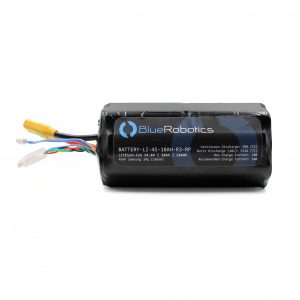
- Lithium-ion Battery (14.8V, 18Ah) – Our standard BlueROV2 battery, offering the highest capacity and longest runtime. We recommend this option for most users. Because of its high capacity, it’s prohibited from taking passenger aircraft, keep that in mind if you plan to fly with your BlueROV2.
- Lithium Polymer Battery (14.8V, 10Ah) – A lower-capacity battery with shorter runtime, but meets requirements for travel on passenger aircraft. Get this option if you need a more affordable battery or need to fly with your BlueROV2.
Be sure to add a battery (and a few spares if needed) to your cart after configuring your BlueROV2 kit. If you plan to use a surface power supply, you won’t need a battery at all.
You’ll also need a battery charger, such as our H6 Pro Lithium Battery Charger.
A useful optional accessory is the Battery Cell Checker, which lets you quickly check the charge level of your batteries before installing them in the BlueROV2.
-
Lithium-ion Battery (14.8V, 18Ah)
High-power lithium-ion battery for the BlueBoat and BlueROV2$425.00 -
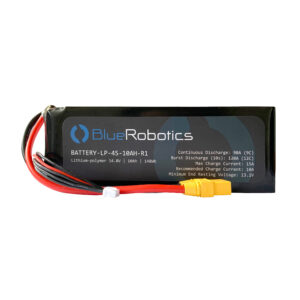
Lithium Polymer Battery (14.8V, 10Ah)
Carry-on luggage allowable battery for the BlueROV2$255.00 -
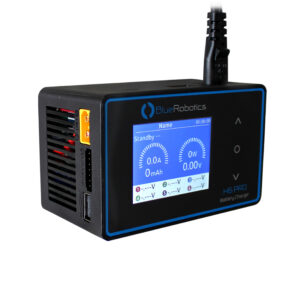
H6 PRO Lithium Battery Charger
10A charger for lithium-ion batteries$196.00 -
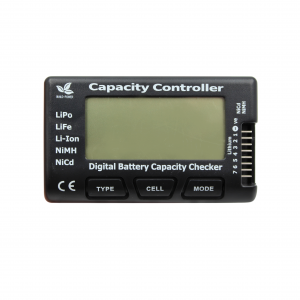
Battery Cell Checker
Checks the battery cell voltages and capacity$19.00
Shipping Limitations
Due to shipping regulations on high-capacity lithium batteries, we can only ship them to a limited number of countries. If we can’t ship batteries to your location:
- Many of our distributors carry compatible batteries—check the Distributor Map for one near you.
- See the Sourcing an Alternative Battery section below for guidance on sourcing a compatible battery locally.
Surface Power Supply
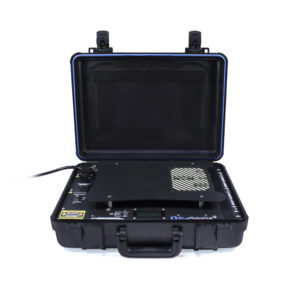
For users who need to operate all day without swapping batteries, Blue Robotics has partnered with Outland Technology to offer the Outland Technology Power Supply (OTPS) for the BlueROV2.
The OTPS connects to a 100–240 VAC surface power source, such as a wall outlet or generator, and sends power down the tether to the ROV, enabling continuous, unlimited runtime.
The OTPS uses its own high-power tether, so if you plan to use this system:
- Do not add the Fathom Tether to your package.
- Do not add a battery.
- The Fathom Tether Spool is not compatible with the OTPS system.
Sourcing An Alternative Battery
If you can’t get a Blue Robotics battery from us or one of our distributors, the BlueROV2 is compatible with many off-the-shelf LiPo batteries. Any alternative battery should meet the following specifications:
- 4S (14.8 V nominal) lithium-ion or lithium-polymer
- Rated for ≥ 60 A continuous and ≥ 120 A burst discharge
- ≥ 10 Ah capacity recommended (higher capacity = longer runtime)
- XT90 or XT90S connector (or use an adapter)
- Fits within 74 mm diameter circle and < 200 mm length (not including cable)
Example: Turnigy LiPo (14.8 V, 10 Ah) from HobbyKing.
Other BlueROV2 Accessories and Options
The components listed on the BlueROV2 product page represent only a small portion of the available accessories. The Accessories and Upgrades category in our web store includes all the add-ons that expand the BlueROV2’s capabilities. In this section you’ll find a quick overview of many of the popular options; for more details and the complete selection, visit the individual product pages and browse the category.
Spares Kit
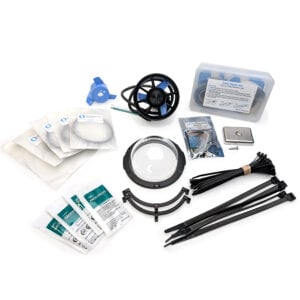
The BlueROV2 is designed to be maintained, repaired, and upgraded by the user, so the BlueROV2 Spares Kit includes the components we’ve found most useful to keep on hand. Inside, you’ll find a spare thruster and speed controller, replacement O-rings, extra zip ties, and more to keep your ROV ready for the field.
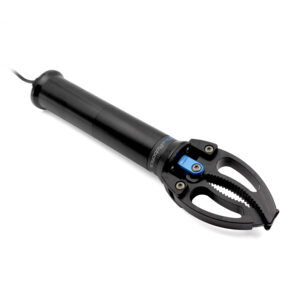
Newton Subsea Gripper
The BlueROV2 can be equipped with a manipulator like the Newton Subsea Gripper, ideal for picking up small objects, attaching recovery lines, or freeing a snagged tether. With the BlueROV2 Heavy Kit upgrade, the ROV can pitch forward and hold its angle, making it much easier to grab items on the seafloor. You can also swap the gripper jaws for the Newton Sediment Sampler Attachment, which collects up to 300cc of sediment at a time.
Sonars
Sonars can give the BlueROV2 capabilities that cameras alone can’t, from clearer navigation to locating underwater objects.
- Ping Sonar Altimeter and Echosounder determines the distance to the seafloor.
- Ping360 Scanning Imaging Sonar is a mechanical scanning sonar for navigation and imaging.
- Cerulean Omniscan FS Imaging Sonar builds an image dynamically as the ROV moves.
- Sonoptix ECHO Multibeam Imaging Sonar uses many narrow acoustic beams to create real-time images of underwater environments, even in zero visibility.
To learn more, check out our Smooth Operator’s Guide to Underwater Sonars and Acoustic Devices.
-
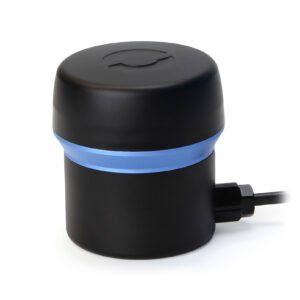
Ping360 Scanning Imaging Sonar
Navigation and imaging sonar for BlueROV2 and other ROVs$2,750.00 -
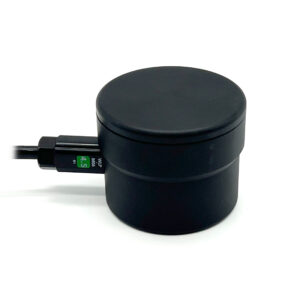
Ping Sonar Altimeter and Echosounder
100 m range, 25 degree beamwidth, serial communication$430.00 -
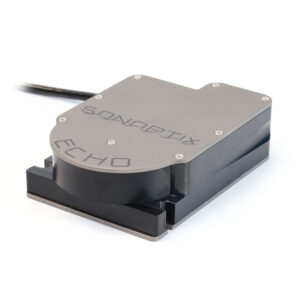

Sonoptix ECHO Multibeam Imaging Sonar
For navigation and object detectionFrom: $9,750.00 -
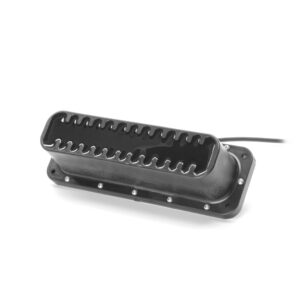
Cerulean Omniscan 450 FS Imaging Sonar
Imaging sonar with long 120 meter range$2,550.00
DVL
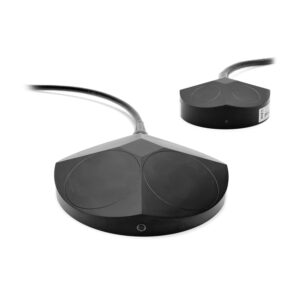
The Water Linked DVL A50 and A125 are high-performance DVLs in insanely small packages that open the door to advanced capabilities on your BlueROV2 like position holding and autonomous navigation.
Payload Skid
The BlueROV2 Payload Skid is a modular frame for the BlueROV2 that lets you attach extra watertight enclosures, lights, and other large instruments. It makes it easy to expand your ROV with additional equipment. Adding buoyancy is often required when adding additional payloads, to keep the vehicle neutral to slightly positively buoyant. This calculator can help you determine how much to add!
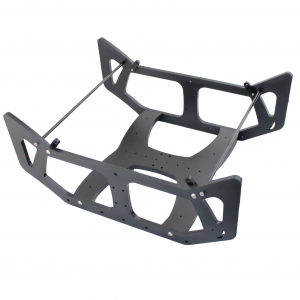
Roof Rack
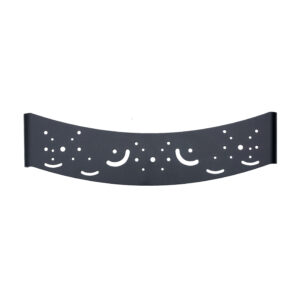
The BlueROV2 Roof Rack is an aluminum mounting bracket that spans between the BlueROV2’s side panels and provides space on top to mount just about anything. It has pre-drilled holes for accessories like a gripper, lights, sonars, and more!
Ethernet Switch
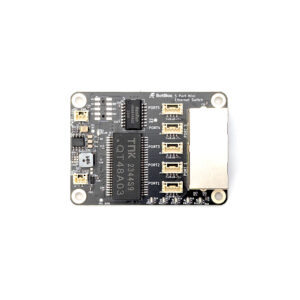
A 5-port 10/100 Base-T Ethernet switch designed to integrate perfectly with the BlueROV2, providing three additional Ethernet ports to connect accessories like the sonars, DVLs, etc.
External Cameras
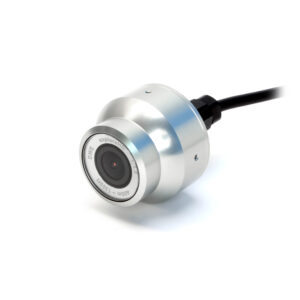
An external camera, like the DWE exploreHD USB Camera, is a helpful add-on for the BlueROV2 as it provides extra visibility in the water. It lets you monitor what is happening behind, above, or below the vehicle, and you can even use multiple cameras to get views from any angle.
BlueROV2 Applications
Blue Robotics has seen the BlueROV2 used in a wide range of applications. Some of these have been documented in our forums, social media, on our YouTube channel, or by word of mouth.
In this section, we provide accessory recommendations for different applications based on the industries and applications we commonly see among BlueROV2 users.
A couple of general recommendations that apply to most applications:
- We recommend the BlueROV2 Heavy Kit when adding accessories to improve stability.
- For very long missions, The OTPS system is a valuable upgrade to ensure continuous power without worrying about battery changes.
Visual Inspection & Surveying
Inspection work usually falls into two categories: Fixed Infrastructure and Vessel Inspections. For infrastructure, the BlueROV2 has been used to inspect water tanks, locks, dams, reservoirs, moorings, and bridges. For vessels, the most common targets are hulls, propellers, intakes and outlets, and anti-fouling paint–searching for damage or marine growth.
The BlueROV2’s basic configuration can perform visual inspections. A camera is technically all you need, but good lighting is also important, depending on the environment, so selecting 4 Lumen lights is recommended. Add multiple viewpoints with an auxiliary camera, like the DWE exploreHD USB Camera.
When visibility is poor, imaging sonars, like the Sonoptix ECHO Multibeam Imaging Sonar, Cerulean Omniscan 450 FS Imaging Sonar, and the Ping360 can help locate the objects you’ll be inspecting.
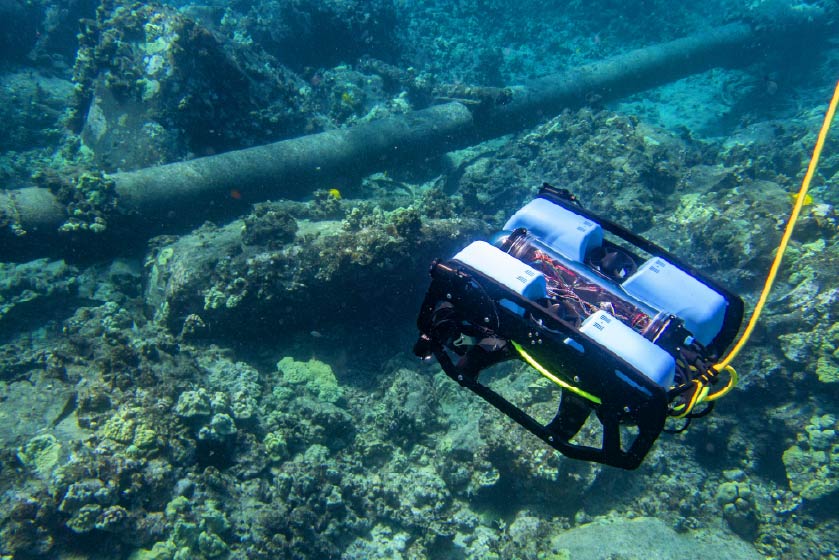
BlueROV2 performing a pipe inspection
Exploration
The BlueROV2 is a great tool for all the underwater explorers out there! Whether you are looking for lost shipwrecks, aircraft, or just exploring what is under your boat or dock, there are enough accessories to locate your targets and record their location.
When the water is murky and your target is hard to spot, sonar can make all the difference. The Ping360, Cerulean Omniscan 450 FS, and Sonoptix ECHO help you find and identify objects. We have written a guide on how to interpret acoustic images: Understanding and Using Scanning Sonars.
Adding the Newton Subsea Gripper, especially with the Sediment Sampler Attachment, allows you to grab things you might find while exploring.
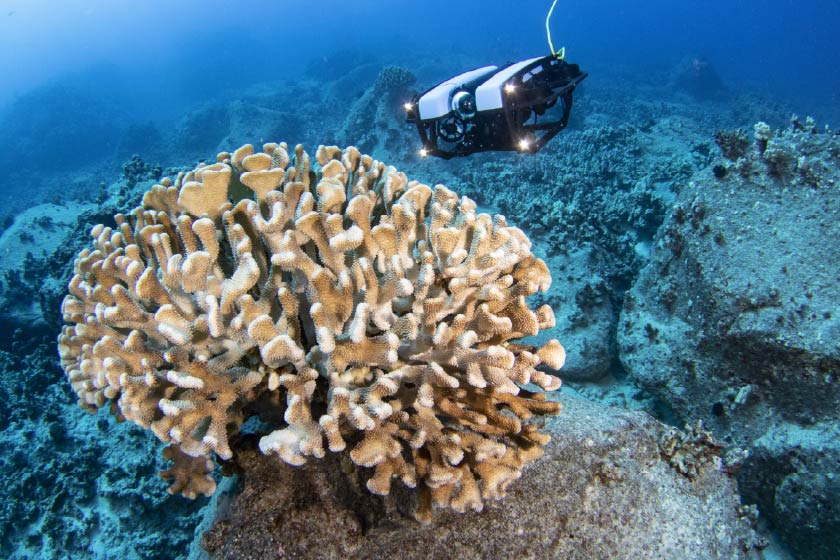
BlueROV2 exploring Pocillopora coral
Aquaculture
ROVs like the BlueROV2 can “walk the fields” of aquaculture farms without needing divers in the water. Think of it as your underwater tractor, fully customizable for different tasks.
In its base configuration, the BlueROV2 is ideal for inspecting things that would otherwise require divers, like nets, moorings, and pens. Add the Newton Subsea Gripper and BlueROV2 Heavy Kit, and the ROV can recover dead fish (morts, as the industry calls them) or attach lines to lost equipment and mooring anchors.
Sensors and sonars can add another layer of insight to aquaculture farms. Sonars like the Ping360, the Cerulean Omniscan 450 FS, or smaller echosounders can help you locate equipment, check fish distribution, and monitor the underwater environment even when visibility is low. Sensors can also give you real-time insight into water quality and fish health.
Curious about how farmers are using the BlueROV2 on their farms? Check out our Grow Line initiative!
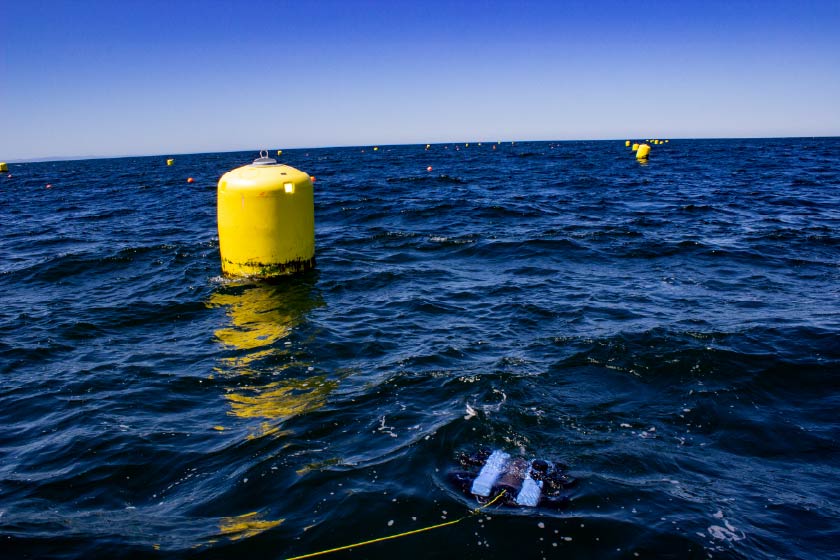
BlueROV2 being used to inspect a kelp farm
Search and Recovery
Search and recovery (SAR) missions are some of the most complex operations professional teams face, where time, precision, and reliability matter most. Beyond the standard BlueROV2 setup, the Newton Subsea Gripper adds essential capability by allowing the vehicle to grab and retrieve targets. We also recommend carrying a BlueROV2 Spares Kit, as having backups on hand is invaluable during sensitive recovery work.
In low-visibility or confined environments like under ice, in shallow water, or in areas difficult to navigate, onboard imaging sonar are crucial for locating targets. The Ping360 provides short- to medium-range acoustic imaging (up to 50 meters), the Cerulean Omniscan 450 FS provides long range acoustic imaging (up to 120 meters), and the Sonoptix ECHO provides high-resolution multibeam imaging to support target identification and recovery planning.
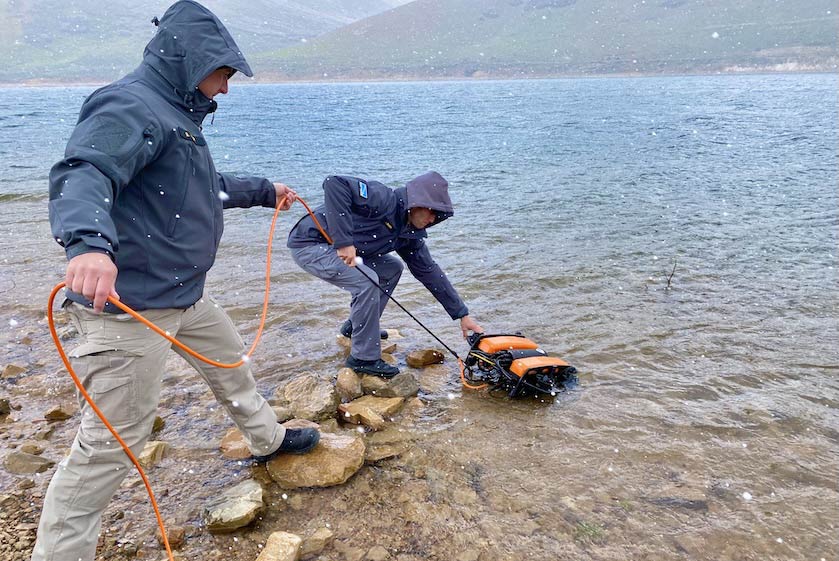
BlueLink's surface-powered search and recovery ROV, SARbot
Research and Environmental Monitoring
Environmental monitoring and research can take you in just about any direction, so this is one of the most flexible application areas for the BlueROV2. The vehicle can be outfitted with sensors, cameras, and tools to support everything from water-quality studies to habitat surveys to species monitoring.
For more precise environmental data, the Celsius Temperature Sensor is a great addition when you need fast and accurate temperature readings. If your mission calls for additional instruments, the Payload Skid gives you extra real estate with mounting points for multiple 3-inch or 4-inch enclosures, making it easier to integrate larger or more specialized equipment.
Sonars like the Ping360 help you navigate low-visibility environments and pinpoint features of interest, while additional lights and auxiliary cameras boost your ability to document and observe what’s really going on underwater. The Newton Subsea Gripper with the Sediment Sampler Attachment is also a great addition for collecting up to 300cc of sediment.
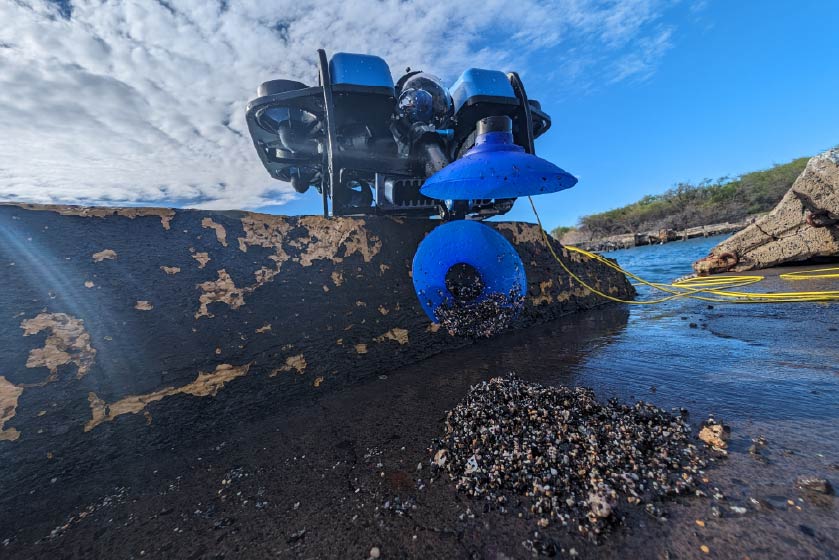
BlueROV2 with Newtown Sediment Sampler
Education and Training
The BlueROV2 gives students a live window into the underwater world. It lets classes explore real environments, run experiments, and collect video and data for analysis in a way that feels hands-on, even from the surface.
Because every program is different, the BlueROV2 can be customized to fit your learning goals. Popular add-ons for education include the Newton Subsea Gripper (and the Sediment Sampler Attachment if you want to bring up samples), as well as sensors like the Celsius Temperature Sensor and BarXT Depth and Pressure Sensor for more advanced data collection.
Our Subsea STEM Buyer’s Guide is a great resource to help you decide what equipment matters most for marine robotics education. Interested in learning more about how to use marine robotics in the classroom? Check out our blueSTEAM Ahead initiative and curriculum, or dive deeper with our Blue Tech Academy modules!
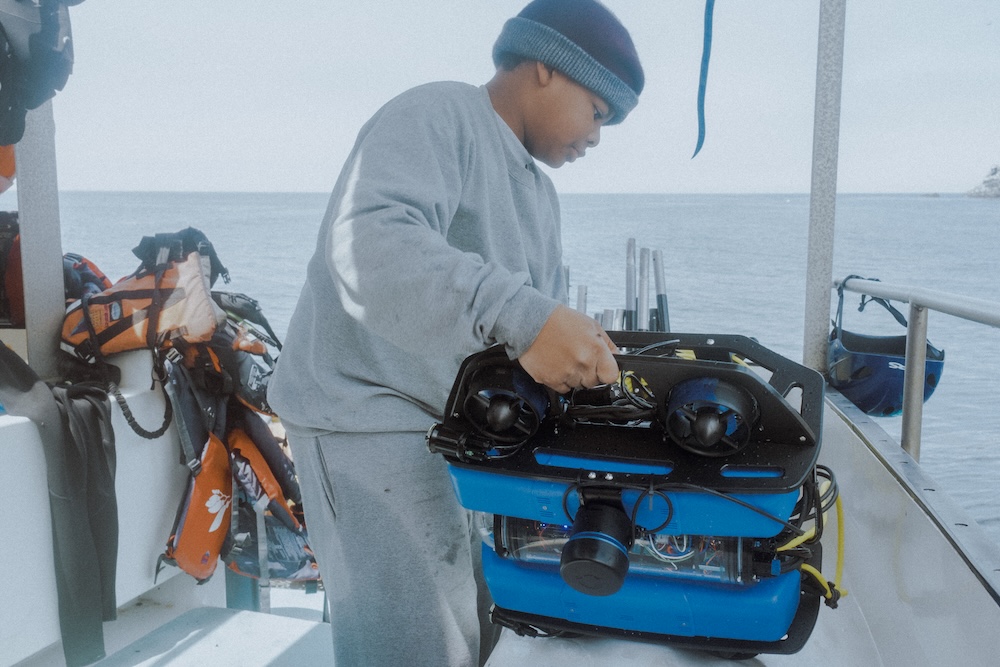
Student preparing the BlueROV2 for a dive
Cinematography & Media
The BlueROV2 comes standard with a full-HD, low-light USB camera that’s ready to stream and record out of the box. For most projects, it performs great, especially in low lighting. But if you need true cinematic footage for film or documentary work, the BlueROV2 can carry and operate a full cinema camera underwater. Use the Payload Skid to carry the 4K camera housing, and the Ethernet Switch to bring the camera onto the network. We’ve put together a step-by-step guide to walk you through the setup.
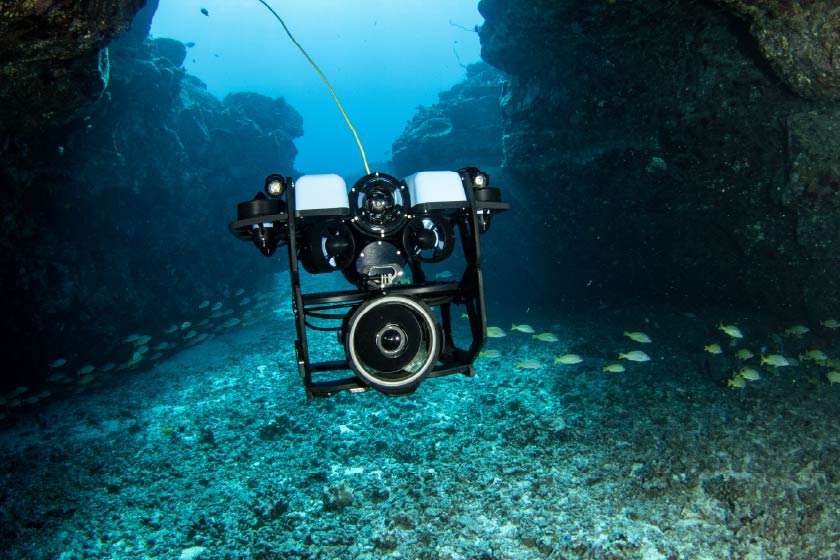
4K Camera on BlueROV2
Additional Resources
This is just the beginning! To explore more about the BlueROV2 and our other products, we’ve included some resources below.
Other Components in the Blue Robotics Online Store
The options listed above only explain the components that were either designed for or integrate easily with the BlueROV2. The Blue Robotics Online Store has over 200 other components for helping to build what you want. Some components can be easily added, but others will need modifications. If you have questions on your custom application, don’t hesitate to contact us with questions!
Blue Robotics Forums
The Blue Robotics Forums are a great resource to see how others in the undersea community have approached specific problems. The Builds and Mods category is a good area to look in for additional inspiration.
Modifications and Accessories from Distributors
Need an accessory or modification for your BlueROV2 that you know exists but we don’t offer? Check out our worldwide Distributors, many of whom offer services to modify your BlueROV2 for your requirements or have access to 3rd party accessories.